
FIELD COST CONTROL FOR SOLO CONTRACTORS

Know where the job's money went before the job is over.

Bought materials for two jobs? Returned the wrong fitting? A customer asked for extra work? Keep the costs, refunds and approved changes attached to the right job, instead of scattered across receipts and messages.

Try a receipt split, no account needed →Free calculators and estimate PDFs →
Structured receiptsJob-level costsOn-device dataBilingual confirmations

FROM RECEIPT TO DECISION

Capture the cost while the details are still fresh.

CostNota keeps field spending attached to the job it belongs to, without turning a small crew into an accounting department.

01

Scan a receipt. Check each line item.

Review detected item names, quantities, unit prices, tax and total before saving. Some quantities may be calculated from prices; check every suggestion against the receipt.

Actual app screen using an AI-generated receipt. Not a real transaction. Confirm quantities and choose the job before saving.
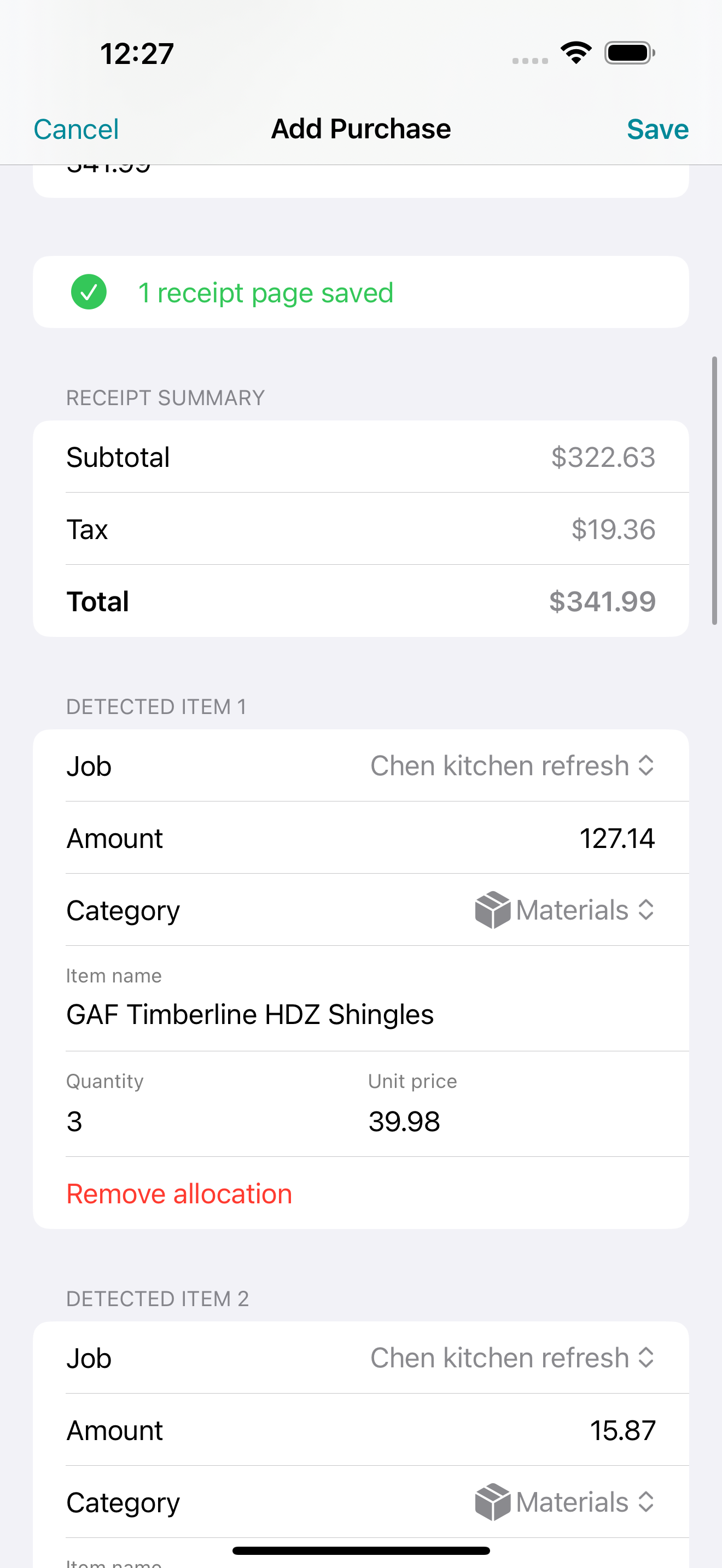
Actual CostNota review of an AI-generated roofing receipt: subtotal $322.63, tax $19.36, total $341.99 and editable shingle quantity and unit price
02

Split one checkout across multiple jobs

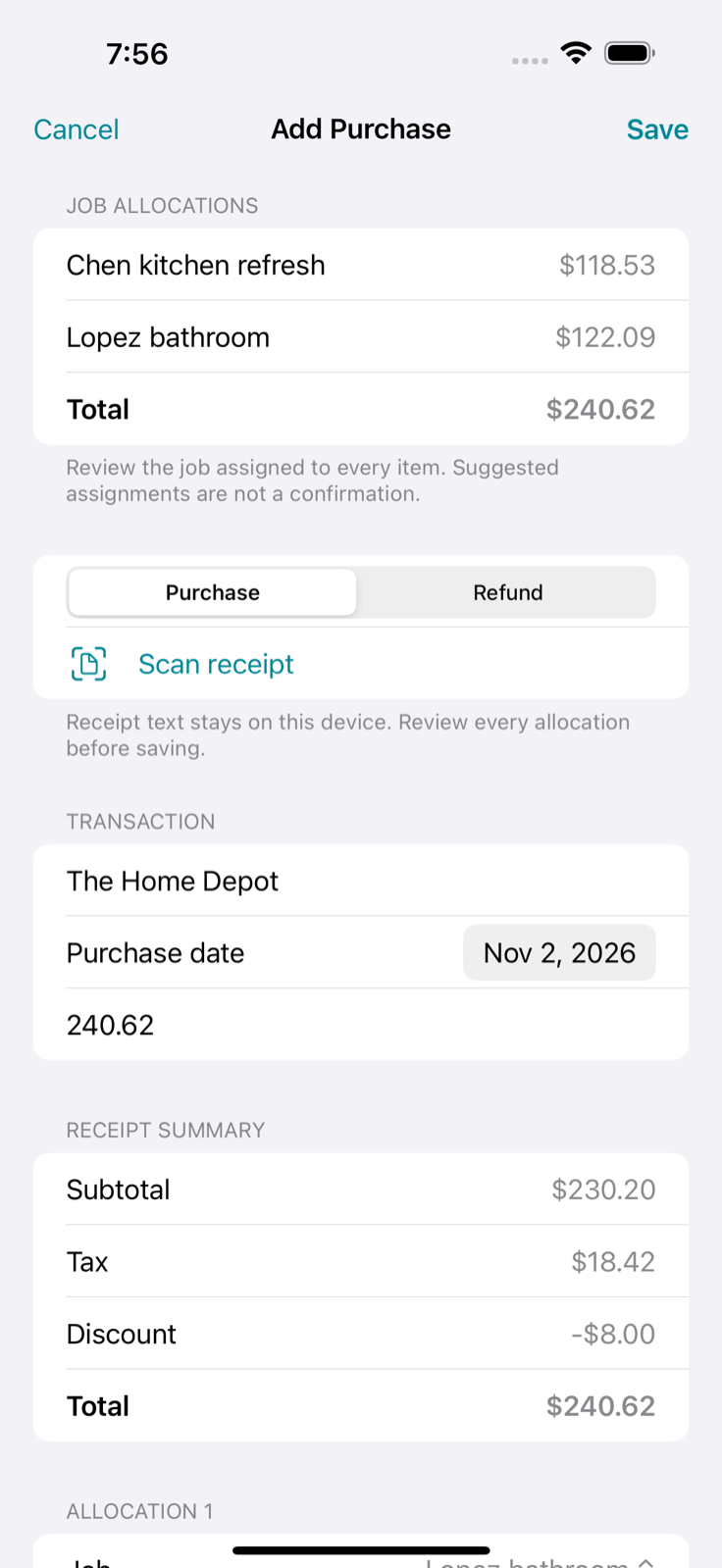
Assign each item to the right project and cost category. Mark the transaction as a purchase or refund so job totals stay honest.

Separate example: $122.09 for the bathroom + $118.53 for the kitchen = $240.62. Demonstration data, not the roofing receipt.

CostNota receipt split showing allocations to a bathroom and kitchen project
03

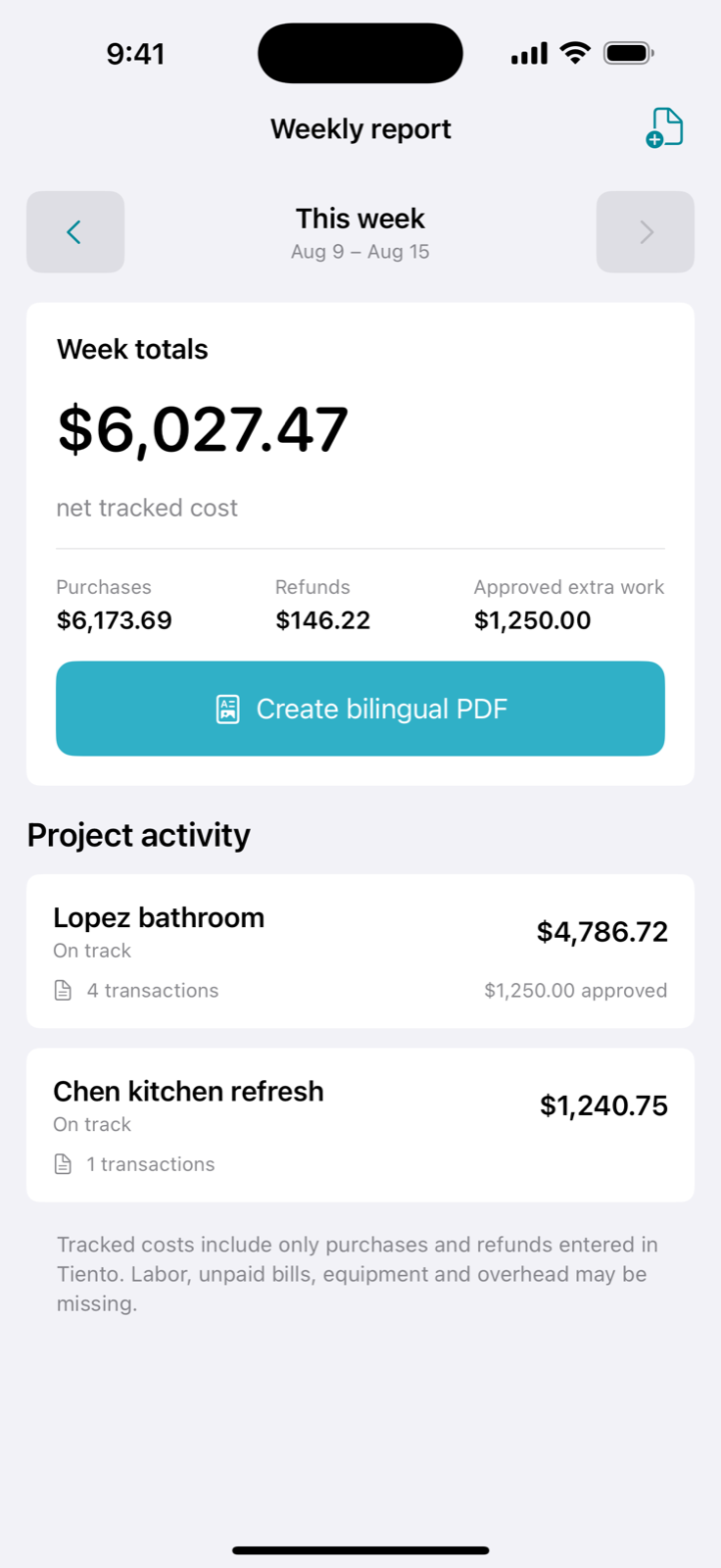
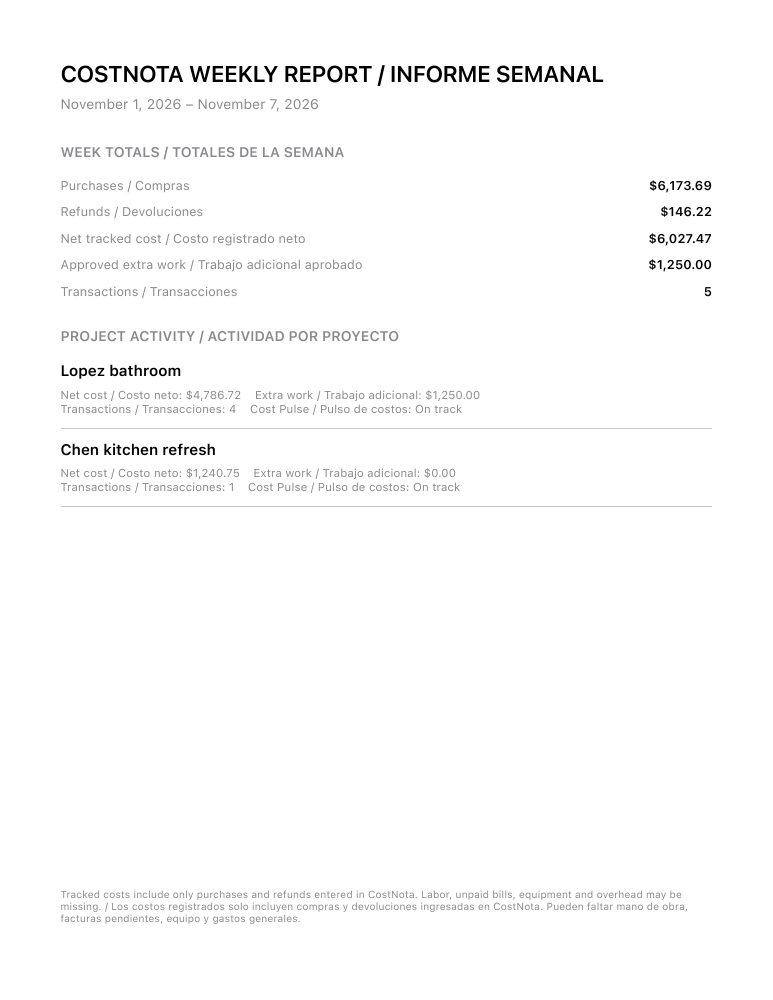
Review the week. Share a bilingual report.

See the week's recorded purchases, refunds and approved extra work by project. Export an English–Spanish PDF to share. Recorded costs are not a complete accounting of every job expense.

App screens shown with sample job data. Always review scan results before saving.

BEFORE YOU DO THE EXTRA WORK

“While you’re here, can you paint this wall too?”

Write down the added work and price. Review the details with your customer, record their approval and share an English–Spanish confirmation. Then keep the materials and returns recorded against the job.

See how extra-work records work →

In 1.1.9, build a price from materials, labor and markup, share a bilingual proposal, and record approval, completion and partial payments separately. Corrections keep the original payment record in the history.

Available from 1.1.9. Approval is not proof of payment. Payments are manual records: CostNota does not collect money, verify transfers or issue refunds.

ONE EXAMPLE, STEP BY STEP

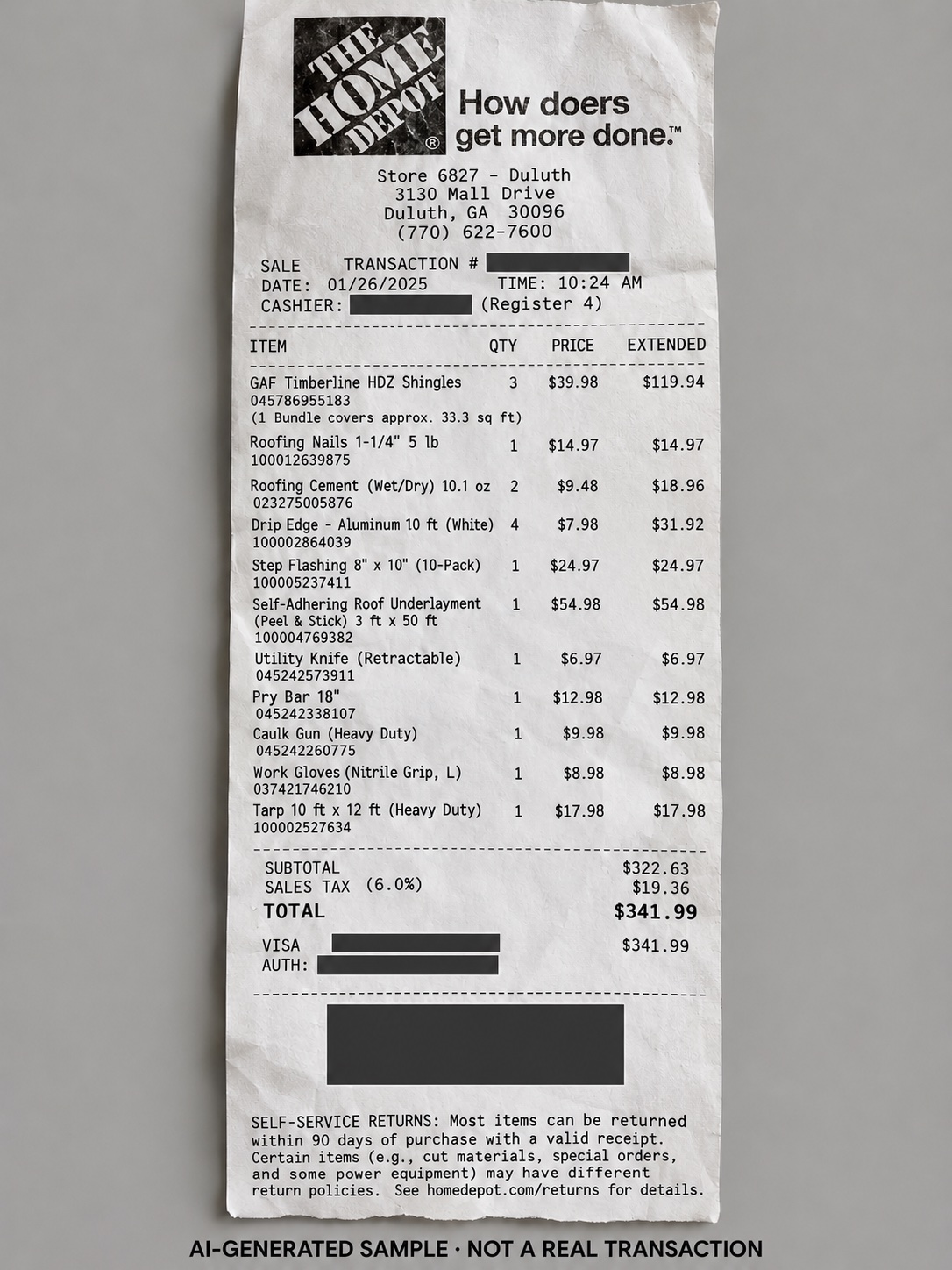
One roofing purchase. 11 items to review.

This AI-generated receipt was imported into CostNota. The app read the items and prices; some quantities were calculated from unit prices and line amounts. Check them before saving.

Subtotal
$322.63
Sales tax
$19.36
Total
$341.99

You choose the job and category for each item. A receipt alone cannot tell which job a purchase belongs to.

Allocated amounts include their share of sales tax. Job names on screen are demonstration data, not projects identified by the scan.

AI-generated receipt. Not a real transaction or testimonial. Sample job data. CostNota is not affiliated with The Home Depot.

AI-generated example receipt: 11 roofing items, $341.99 total; payment details masked
AI-generated example · Enlarge ↗
Actual CostNota screen showing subtotal, tax and items read from the sample receipt
Actual app result · Review before saving

FIELD PRIVACY

Your customer and job data stays on your iPhone.

Receipt recognition runs with Apple on-device frameworks. CostNota does not require an account and contains no advertising or third-party analytics SDKs.

  • Receipt images and OCR text stay local
  • Face ID can protect sensitive screens
  • Password-encrypted backups are user controlled
  • Files leave only when you export or share them

COSTNOTA PRO

Coming in 1.1.9: 3 complete projects, free.

Finish your first 3 projects with all CostNota features, without starting a subscription. Upgrade when you need to create project 4, not when you scan a receipt or export your records.

From version 1.1.9

Available from CostNota 1.1.9. Update the app for the 3 free projects and payment history.

A never-used empty project can be deleted to return its slot. Samples do not count. The 3 free projects are not a 7-day subscription trial. Browser tools remain free with no signup.

Monthly$3.99 / month7-day free trial

7-day free trial on either plan for eligible new subscribers.

Prices in USD. After the trial, your chosen plan is billed at its subscription price. Automatically renews unless canceled; manage your subscription in App Store account settings. Local pricing and eligibility are shown before confirmation.

Download Free on the App StoreScan to install on your iPhone.